Microsoft Dynamics 365 Customer Service, built for B2B tech companies.
Support that scales without the chaos. TekStack delivers a complete B2B help desk on Dynamics 365 Customer Service, with AI agents, a self-service portal, and full customer visibility, all connected to your CRM and projects.
Case management · AI agents · Customer portal · Knowledge base · Teams integration · Power BI reporting
Support teams are drowning.
Your customers are noticing.
B2B support raises the stakes. Customers are more demanding, and getting it wrong hits your renewal rate directly.
Cases fall through the cracks
Support requests arrive by email, phone, and chat with no single place to track them. Cases get missed, duplicated, or assigned to the wrong person with no record of what happened.
Agents answer the same questions repeatedly
Without a knowledge base or self-service options, every common question becomes a ticket, and agents spend most of their time on low-value work.
No visibility on what customers are experiencing
Account managers and sales reps don't know what support issues their customers face. Renewal conversations happen without context, and customers repeat themselves.
SLAs are missed with no early warning
Response and resolution targets live in spreadsheets or aren't tracked at all. By the time someone notices a breach, the customer has already lost confidence.
Escalations are chaotic
When a case needs a subject matter expert, agents resort to chat messages or a tap on the shoulder. With no structured escalation path, resolution time suffers.
Customers have no self-service options
Every status update, simple question, and document request means contacting your team directly, which frustrates customers and ties up your staff.
Support costs are hard to track
Without time entry on cases, there's no way to see the true cost of supporting each customer, so pricing decisions are made without real data.
Bugs have no link to customer impact
When a bug is logged in DevOps, nothing shows which customers are affected or how many cases it's generating, so engineering prioritizes blind.
No metrics to improve performance
Leadership has no reliable data on case volume, resolution times, CSAT, or agent performance, so staffing and process decisions run on gut feel.
AI agents that do the work.
TekStack brings working AI agents to Dynamics 365 Customer Service that deflect cases, create knowledge, and keep your team informed automatically.
AI agent on your website
A conversational AI agent on your support site handles common questions before they become tickets. It searches your knowledge base, guides customers through self-service steps, and hands off to a live agent when needed.
- Answers common questions instantly, 24 hours a day
- Deflects cases that don't need a human agent
- Hands off to a live agent with full conversation context
- Built with Copilot Studio on Microsoft infrastructure
Automatic knowledge article creation
When an agent resolves a case, AI analyzes the conversation and suggests a new knowledge article, so your knowledge base grows without anyone writing documentation by hand.
- AI drafts articles from resolved case content
- Agents review and approve before publishing
- Similar articles surface to agents while they work a case
- Repeat cases drop as self-service content improves
AI-powered agent productivity
Built-in generative AI helps agents work faster on every case, from drafting responses to summarizing long case histories so new agents get up to speed instantly.
- AI-drafted email responses agents can edit and send
- Case summaries generated automatically for handoffs
- Case similarity matching surfaces related issues
- Forecasted case workflow based on historical patterns
Build your own agents with Copilot Studio
TekStack is built on Microsoft Copilot Studio, so your team can create custom agents for specific support scenarios without writing code.
- Agents for specific product lines or customer segments
- Connect agents to external systems through Azure AI Foundry
- No code required for most agent configurations
- Runs on Microsoft's enterprise-grade AI infrastructure
Integrated alert monitoring from external systems
TekStack connects to your monitoring and alerting tools, so infrastructure alerts, product errors, and system events create cases automatically, with full context, before customers notice anything is wrong. Connect your monitoring stack through the open API or pre-built integrations and route alerts into the case queue with the right priority, assignment, and customer context attached.
Everything an agent needs in one view.
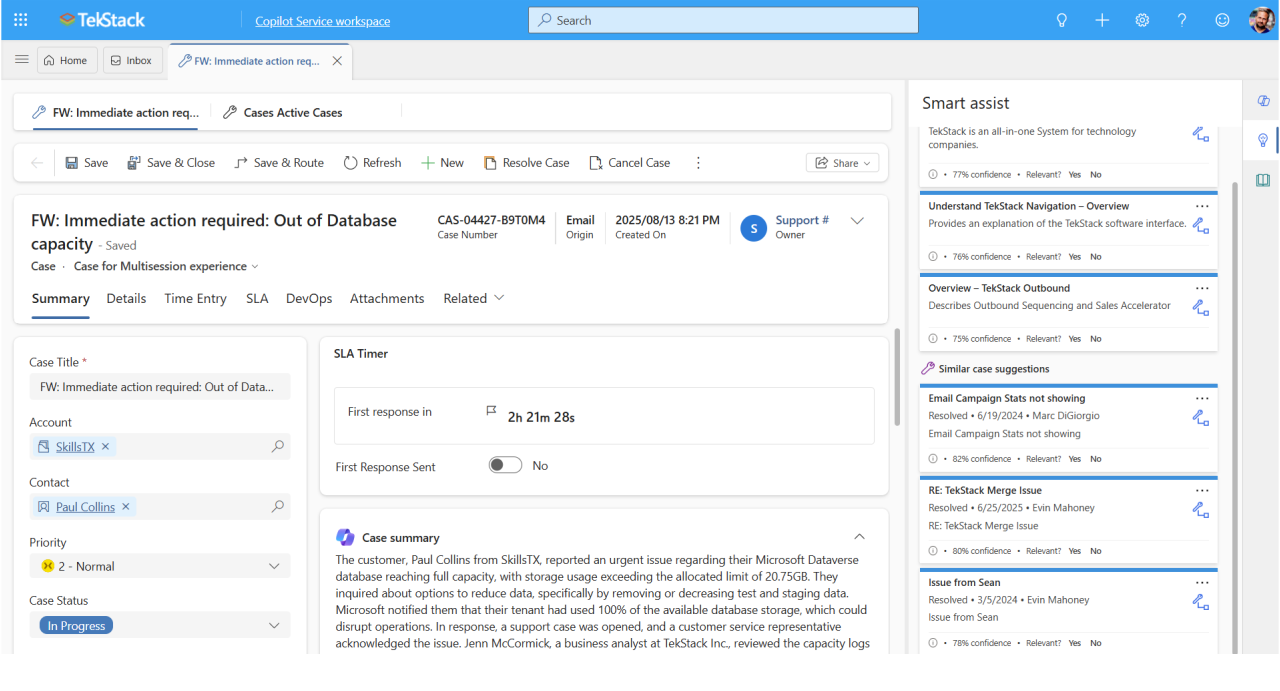
TekStack configures the Dynamics 365 Customer Service workspace so agents have full context on every case without switching systems: customer history, active projects, open invoices, and case details in one place.
- Agent workspace layout optimized for B2B support teams
- Full customer 360 with cases, projects, invoices, and subscriptions
- AI-suggested responses and knowledge articles inline
- Escalate to a Teams channel directly from the case record
Give customers control over their own support.
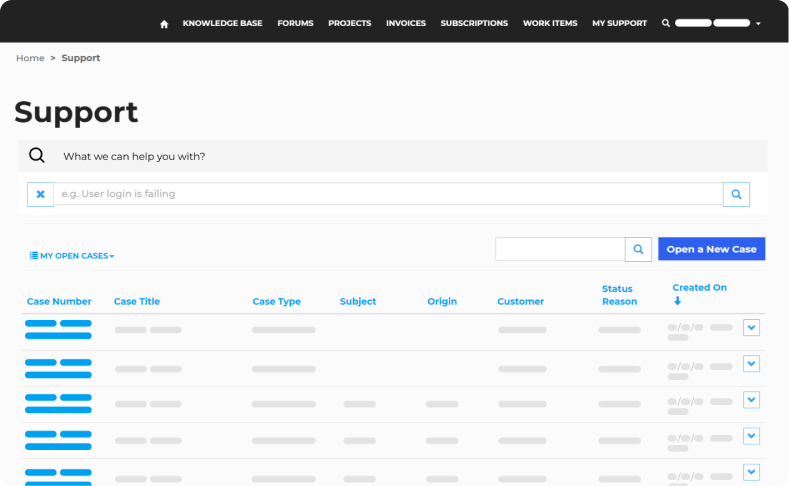
The TekStack customer portal gives customers a professional, branded place to manage their own cases, find answers, and stay up to date without calling or emailing your team.
- Submit cases and check status without contacting support
- Search the knowledge base before a case is created
- Chat with an AI agent or request a live handoff
- View projects, invoices, and account details in one place
Every help desk capability. One platform.
TekStack extends Microsoft Dynamics 365 Customer Service with pre-configured features built for B2B companies, so it's faster to deploy and easier to run.
- Unified inbox for email, phone, chat, and portal cases
- Automatic case routing and assignment by queue or skill
- SLA tracking with breach alerts and escalation rules
- Case priority and severity classification
- Email queue workflows pre-configured for B2B support
- Case resolution workflow with customer notification
- Automatic merging of duplicate cases
- Full case history linked to the customer account record
- Branded self-service portal for customers
- Single sign-on security through Microsoft Entra
- Submit new cases and view existing case status
- Knowledge base with case deflection for self-resolution
- Live agent chat or AI bot handoff
- View projects, invoices, and other customer information
- Centralized knowledge base for agents and customers
- AI suggests articles to agents while they work a case
- AI drafts new articles from resolved case content
- Article approval workflow before publishing
- Deflects portal cases before they reach the queue
- Email queue routing pre-configured for B2B support teams
- Automated customer notifications on case updates
- Internal escalation workflows through Microsoft Teams
- Case swarming for complex issues that need multiple experts
- CSAT and NPS survey automation on case closure
- Alert monitoring integration to auto-create cases from external tools
- Sync product bugs from DevOps to customer case management
- Link cases to bugs so engineering sees real customer impact
- Status updates from DevOps flow back to the customer case
- Accurate resolution timelines for customers
- Full case history visible from the customer account record
- Sales and account teams see open and closed cases
- Project, invoice, and subscription data linked to cases
- Time entry on cases to track support cost per customer
- Conversational intelligence on Teams Phone calls for coaching
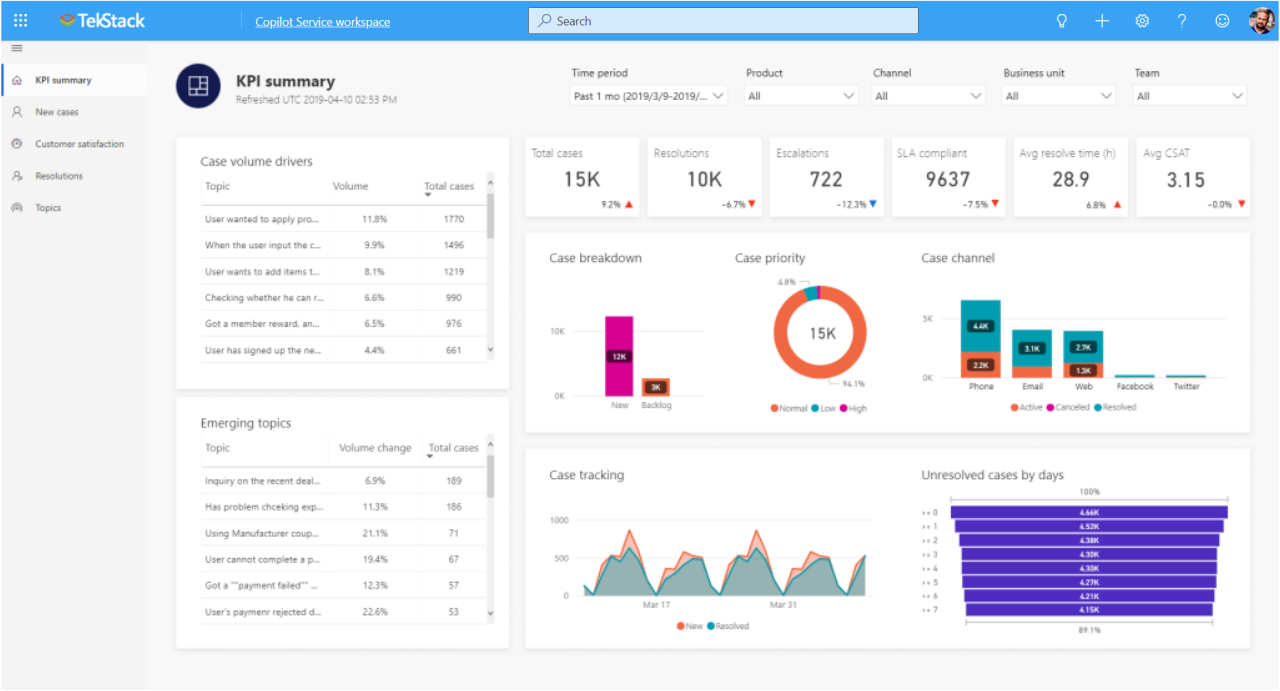
- Power BI dashboards for case volume, SLA, and CSAT
- Agent performance by volume, speed, and quality
- Case trend analysis to spot recurring issues
- Support cost per customer from time entry data
- CSAT and NPS over time by customer segment
- Knowledge base usage and deflection rate reporting
Meet Max, included in your subscription.
Max is your support operations partner, a blend of AI agents and human experts built to keep your help desk running at its best. Max monitors your support operation, flags what's slipping, and helps your team stay ahead of issues before customers feel them.
"Max keeps your support operation tight. It makes sure cases are assigned, SLAs are tracked, agents are coached, and your knowledge base keeps growing, so your team can focus on helping customers."
Monitor case health
AI agents watch for cases that are stalling, at SLA risk, or missing responses, and surface them before a breach occurs.
Build your knowledge base
Max reviews resolved cases and drafts knowledge articles automatically, so self-service content improves without extra work.
Coach agent performance
Human experts review case transcripts and response patterns to find coaching opportunities and improve team quality over time.
Surface at-risk customers
Identify customers with high case volume, repeated issues, or declining CSAT so account managers can get ahead of churn risk.
Ensure process consistency
Max checks that cases follow the right workflows, have the right fields completed, and move through stages correctly.
Deliver support metrics
Regular reporting on case volume, SLA performance, CSAT trends, and agent productivity that leadership can trust.
TekStack + Dynamics 365 vs. Zendesk and Freshdesk.
Most help desk tools were built for consumer support and adapted for B2B. TekStack and Dynamics 365 Customer Service were designed for B2B from the start.
| TekStack + Dynamics 365 | Zendesk / Freshdesk | |
|---|---|---|
| Platform | Built on Microsoft infrastructure your team already uses | Separate platform with new logins, training, and change management |
| CRM, projects & revenue | Native integration with CRM, projects, and invoicing in one platform | No native connection to sales pipeline, projects, or revenue data |
| Customer view | Full customer 360 with cases, projects, subscriptions, and invoices | Support-only view; account managers switch tools to see it |
| AI | AI agents on Copilot Studio and Azure, with no third-party AI licensing | Third-party AI with separate licensing and Microsoft 365 friction |
| DevOps | Engineering sees the real customer impact of every bug | Engineering and support operate in separate silos |
| Built for | Purpose-built for B2B tech companies | General-purpose and consumer support, adapted for B2B |
| Implementation | Implementation, support, and Max included at one price | Partner-led implementation and ongoing consulting fees |
See your help desk running the way it should, in one hour.
Most B2B support teams work around tools that weren't built for them. We'll show you what a help desk purpose-built for B2B looks like, and what it takes to get there.
- 1We learn how your team handles support today and where the biggest gaps are
- 2You see a live walkthrough built around your specific support scenarios
- 3We walk you through pricing, straightforward and with no surprises
- 4You leave with a clear picture of what switching would look like
Book your demo
Fill out the form and we'll be in touch within one business day to confirm your time.
No obligation. Implementation, Max, and unlimited support included.